The Ultimate Microsoft Office Course Guide With Placement Opportunities
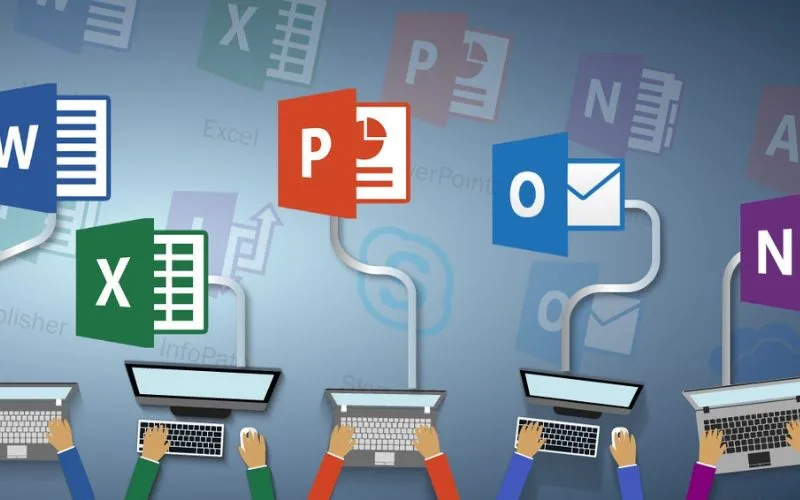
Table of Contents
# The Ultimate Microsoft Office Course Guide
# Why a Microsoft Office Course Matters
# Why GTIA’s Course Stands Out
# Job & Placement Opportunities
The Ultimate Microsoft Office Course Guide | With Placement Opportunities
If you are planning to build strong, job-ready digital skills, a Microsoft Office course can completely change your career path. It teaches you how to work smarter, faster, and with more confidence. The demand for this skill keeps rising every year.
A recent LinkedIn Workplace Report found that office productivity skills appear in more than 70 percent of entry-level job listings. When you combine a strong Microsoft course with guidance and placement support, you stand out immediately in the job market.
Whether you are a student, a job seeker, or a working professional who wants to upgrade your skills, this guide shows you exactly how a structured Microsoft Office course prepares you for real employment.
Why a Microsoft Office Course Matters in Today’s Job Market
Microsoft Office is one of the most used toolsets in the world. More than 1.2 billion people use MS Office globally, which is proof of how essential it is in modern workplaces. A strong MS Office course gives you skills that employers look for every single day.
What makes these skills so important?
● They are required in almost all industries.
● You get faster at routine tasks, which boosts workplace efficiency.
● You learn how to create clean documents, reports, data sheets, and presentations.
● You build confidence during interviews, especially when asked about practical tasks.
What You Will Learn in a Complete Microsoft Office Course
A high-quality Microsoft Office curriculum covers Word, Excel, and PowerPoint in a structured, job-oriented format. Here is what you learn.

Land an Accounting Job with 100% Job Guarantee
Enroll For MS Office Course Now
Comparison Table: Why This Microsoft Office Course Stands Out

This comparison shows how the right Microsoft Office course creates better job readiness, better confidence, and stronger employability.
Unique Features of GTIA’s Microsoft Office Course
Students choose this program because it delivers clear, practical results.
1. Hands-on Training
You learn through real projects like sales reports, invoice creation, client presentations, and company documentation.
2. Industry-Relevant Curriculum
Every module is designed to match employer expectations. The focus is on performance, not theory.
3. Flexible Learning Options
You can choose classroom training or blended learning based on your availability.
4. Placement Assistance
This is where the GTIA program stands out. After completing the Microsoft Office course, you get support for interviews, resume building, and job matching.
Job and Placement Opportunities After Course Completion
Your skills should lead to your next job. That is why this course prepares you for roles across departments.
Popular job roles include:
● Office Executive
● Administrative Coordinator
● Customer Relationship Executive
● Accounts Support Staff
● Data Analyst Assistant
Companies prefer candidates who complete a strong Microsoft Office course because they require less training and can perform daily operations smoothly from day one.
Master Practical Accounting + Management Skills
Why Choose George Telegraph Institute of Accounts (GTIA)
GTIA brings more than 105 years of training expertise. Students trust the institute because the teaching style is simple, practical, and focused on results.
Here is what makes GTIA a reliable choice.
● Student-first approach
● Updated curriculum
● Experienced trainers
● Proven placement history
● Blended learning options
Secondary Skill Boost: Learn Excel with Confidence
Many students start with Excel because it gives them an edge in data handling. If you want a deep understanding of formulas, charts, business sheets, analytics, or data organization, you can start with a separate Excel module or combine it with the complete Microsoft Office course.
Why Excel matters:
● Used in finance, sales, HR, accounting, and operations
● Helps you work with structured and unstructured data
● Makes you more efficient at reporting and analysis
● Large companies prefer employees who have been trained in the best Excel courses
Conclusion
A strong Microsoft Office course is one of the smartest investments you can make for your future. It boosts your efficiency, builds confidence, and improves your chances of getting hired faster. When you combine practical training with placement support, you get a clear path to employment.
Whether you want to strengthen your resume, switch careers, or simply learn job-ready skills, this training helps you move ahead with confidence. With the added advantage of secondary skills like Excel and exposure to the best Excel courses, you position yourself for long-term success. Start your journey today and open the door to real professional opportunities.
Join 1,000+ Students Already Hired Through Our Job Guarantee Program!
Join the Next Batch
FAQs
1. What is the duration of the Microsoft Office course?
Most programs take between 2 and 4 months, depending on your pace and batch schedule.
2. Do I need prior computer knowledge?
Basic computer usage is helpful, but the course starts from beginner level.
3. Will I get a certificate after completing the course?
Yes, GTIA provides a recognized certificate that helps during interviews.
4. Is placement assistance guaranteed?
Placement assistance is provided, and many students secure jobs through partner companies.
5. Which tools are covered in the MS Office course?
You learn Microsoft Word, Excel, and PowerPoint in full detail.
6. Are practical projects included?
Yes, you complete tasks based on real business scenarios.
7. Can this course help me get a government job?
Yes, MS Office skills are required for many administrative and clerical roles.
8. Are the classes available offline?
You can choose offline, online, or blended learning formats.
9. Will this course help me become a data analyst?
It prepares the foundation, especially with Excel. You can later add data analytics courses.
10. How much salary can I expect after finishing the course?
Entry-level salaries range between INR 10,000 to 18,000, depending on location and role.
11. Is this course suitable for complete beginners?
Yes, it is designed for all age groups, including freshers.
12. Can I retake any class if I miss it?
Most centers allow backup classes based on schedule availability.
13. How do I get started with the Accounting + Management Job Guarantee Program?
Get started with a free consultation call. Contact us now. You can also call us at +91 7604014541 or email us at enquiry@gtiaindia.org for online courses.


Comments
Post a Comment